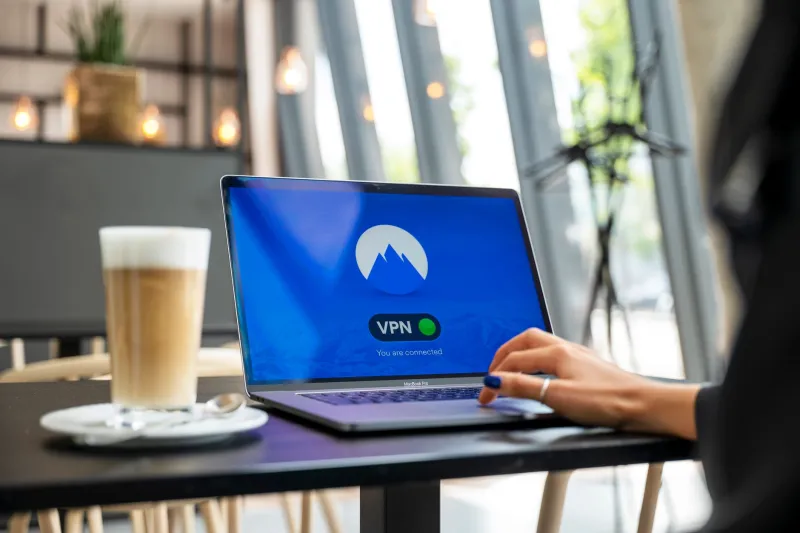
Your Boss's VPN Knows More About You Than Your Internet Provider Ever Did

When your IT department tells you to connect to the company VPN before accessing work systems, it sounds like a straightforward security measure. And in one sense, it is — for the company. The part of the conversation that tends to get left out is what the company gains in the process, and what you, as an employee, quietly hand over the moment you hit connect.
The short version: corporate VPNs are surveillance infrastructure. That's not a conspiracy theory — it's just what the technology is designed to do.
What a Corporate VPN Actually Does
A consumer VPN, like the kind you might use at home, is designed to hide your traffic from someone — your ISP, advertisers, a public Wi-Fi operator. The VPN provider is the trusted middle party, and the whole point is that nobody else can see what you're doing.
A corporate VPN works on the same basic technical principle, but the relationship is inverted. Your employer is the VPN provider. All of your traffic routes through infrastructure they own, manage, and — critically — have full visibility into.
When you connect to a corporate VPN, your employer's network can see:
- Every website you visit, including the full domain and often the specific URLs
- The timing and duration of every connection
- The volume of data transferred to and from each destination
- Application-level traffic if deep packet inspection is enabled (and it often is)
- DNS queries, which reveal what you were trying to access even if the connection was blocked
This isn't a hypothetical. It's standard functionality in enterprise network management platforms like Cisco Umbrella, Zscaler, Palo Alto Networks, and dozens of others. These tools are explicitly marketed to IT departments on the basis of their monitoring and logging capabilities.
The Logging Reality
Most employees assume that nobody is actually watching their internet activity — that the logs exist but nobody looks at them. That's probably true most of the time. But "probably" and "most of the time" are doing a lot of heavy lifting in that sentence.
Enterprise network logs are typically retained for 30 to 180 days as a baseline, though many organizations keep them longer for compliance or legal reasons. In regulated industries like finance, healthcare, and government contracting, retention periods of one to seven years are common — sometimes mandated.
Those logs can be reviewed in response to an HR complaint, a security incident, a legal dispute, or simply a manager's curiosity. In most US states, the legal framework heavily favors employers here. If you're using company-owned infrastructure — and a corporate VPN absolutely qualifies — your employer generally has broad legal authority to monitor and log that traffic with minimal disclosure requirements.
Some states have enacted stronger employee privacy protections, but the baseline federal standard is permissive toward employers, particularly when a general monitoring policy is disclosed in an employee handbook or acceptable use policy.
The Work-From-Home Complication
The shift to remote work dramatically expanded the scope of corporate VPN monitoring. When employees worked exclusively in offices, corporate network visibility was limited to office hours and office devices. Remote work changed that equation significantly.
Now, employees connecting to corporate VPNs from home may be routing traffic from personal devices — or routing personal activities through work connections during work hours. The boundaries have blurred, and corporate monitoring infrastructure often captures both sides of that blur.
This creates genuinely awkward situations. An employee checking a personal health site, researching a sensitive legal matter, or simply browsing during a lunch break may be doing so through a connection that logs everything in a corporate database. The fact that you're at home, on what feels like your own time, doesn't change the technical reality of where your traffic is going.
What "Secure" Actually Means in This Context
Here's the framing worth examining. Corporate VPNs are described as security tools, and they genuinely are — for the company. They protect corporate data from external threats, enforce access controls, and create an auditable record of who accessed what and when.
But "secure" in this context means secure for the organization, not secure for you as an individual. Those are related goals, but they're not the same goal, and in some situations they're actively in tension.
When your employer's VPN logs show that you spent 45 minutes on job search sites last Tuesday afternoon, the system worked exactly as designed. The company's data is protected. Your privacy, however, is a different matter entirely.
Practical Considerations for Employees
None of this means corporate VPNs are inherently malicious or that your employer is actively spying on you. Most companies aren't combing through employee internet logs looking for something to use against their staff. But understanding the technical reality puts you in a better position to make informed decisions.
Keep personal browsing off corporate connections. This is the single most effective step. If you're connected to a work VPN, treat that connection as fully visible to your employer — because it is. Save personal browsing for your phone's cellular connection or a separate personal device.
Read your acceptable use policy. It's not exciting reading, but it tells you what your employer claims the right to monitor and how they say they'll use that information. In many cases, it's broader than employees expect.
Understand split tunneling. Some corporate VPN configurations use "split tunneling," which routes only company-specific traffic through the VPN and sends everything else directly to the internet. If your setup works this way, personal browsing isn't flowing through the corporate network. Ask your IT department — or check your VPN client settings — to understand which configuration you're using.
Don't assume personal devices are safe. If your employer requires you to install their VPN client or mobile device management (MDM) software on a personal device, that software may have monitoring capabilities that extend beyond just VPN traffic. MDM platforms can be quite invasive, and the permissions you grant during enrollment matter.
The Bigger Picture
The privacy conversation around VPNs tends to focus on ISPs, advertisers, and government surveillance. Corporate VPNs represent a fourth category that gets far less attention — one where the monitoring party has a direct, ongoing relationship with you and significant leverage over your professional life.
That doesn't mean the tool is bad. It means it's worth understanding clearly, with eyes open, rather than assuming that anything labeled "secure" is working in your interest.