No Tool Does Everything: The Hidden Trade-Offs Every VPN User Needs to Understand
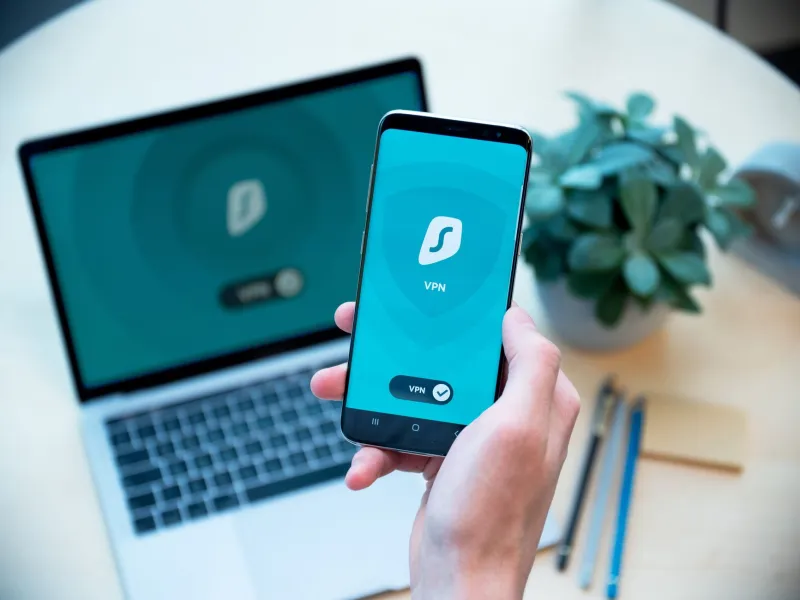
There's a comforting feeling that comes with seeing that little VPN icon light up on your phone or laptop. Connected. Protected. Done.
Except it's not quite that simple.
VPNs are genuinely useful tools — we'd be the last people to tell you otherwise. But "useful" and "complete" are two very different things. Every security decision you make involves trade-offs, and VPNs are no exception. When you solve one problem, you often shift your exposure somewhere else. The trick isn't finding a magic tool that covers everything. The trick is knowing exactly what you're trading and deciding whether that deal makes sense for you.
Let's get into the specifics.
The Core Promise — and Where It Stops
A VPN does a few things really well. It encrypts the data traveling between your device and the VPN server, which means your internet provider can't read what you're doing. It also masks your IP address from the websites and services you visit, replacing your real location with the server's address.
That's legitimately valuable. If you're on public WiFi at an airport, a coffee shop, or a hotel, a VPN is one of the smartest things you can run. Without it, other people on that network can potentially sniff your traffic. With it, they see encrypted noise.
But here's where the trade-off kicks in. The moment you connect to a VPN, you've shifted the trust problem. Your internet provider can no longer see your activity — but your VPN provider now can. You haven't eliminated a surveillance point. You've moved it.
For most people, that's still a good trade. VPN companies are generally more privacy-focused than Comcast or Verizon, and a reputable no-logs provider has much less incentive to monetize your data. But "generally better" isn't the same as "completely safe," and it's worth knowing that the trade exists.
The Kill Switch Dilemma
Here's a scenario that plays out more often than people realize.
You're working from home, VPN running, feeling good about your privacy. Then your VPN connection drops — maybe for two seconds, maybe for thirty. What happens to your traffic in that window?
If you don't have a kill switch enabled (a feature that blocks all internet traffic when the VPN disconnects), your device silently falls back to your regular connection. Your real IP address briefly becomes visible. Your ISP sees activity. If you were doing something sensitive, that gap matters.
So you turn on the kill switch. Problem solved, right?
Kind of. Now when your VPN drops, your internet goes completely dark. No background app updates, no ongoing downloads, no email syncing — nothing until the VPN reconnects. For a lot of users, that's annoying but acceptable. But if you're on a video call, streaming something for work, or relying on a real-time connection, a sudden blackout can be disruptive in its own way.
You're choosing between two risks: brief exposure or abrupt disconnection. Neither is perfect. The right answer depends on what you're actually doing.
Server Location Isn't Just About Speed
Most people pick a VPN server based on one thing: how fast it is. That's understandable — nobody wants their connection to crawl. But server location carries a different kind of weight that often gets ignored.
When you connect to a server in another country, you're routing your traffic through that country's legal jurisdiction. Some jurisdictions are friendlier to privacy than others. A server in Iceland or Switzerland operates under very different data laws than one in a country with mandatory data retention requirements or intelligence-sharing agreements.
The performance trade-off here is real. Servers closer to you are faster. Servers in more privacy-favorable jurisdictions might be farther away, adding latency. If you're just watching Netflix, that might not matter much. If you're making security-sensitive decisions, it might matter a lot.
There's also the question of server load. Popular servers — especially free or heavily advertised ones — can be crowded. A crowded server is slower, sure, but it also creates an interesting anonymity dynamic. More users on a server means your traffic blends into a larger crowd, which can actually help obscure your individual patterns. A fast, lightly loaded server might give you great performance but less cover in the noise.
What a VPN Doesn't Touch
This is the part people really need to sit with.
A VPN protects your network traffic. It does nothing about what happens once that traffic arrives somewhere.
If you log into Google while connected to a VPN, Google still knows it's you. Your browsing history inside that account is still being recorded. Your location history, your search patterns, your app usage — all of it continues to accumulate, completely unaffected by whether your VPN is on or off.
Same goes for cookies, browser fingerprinting, and the dozens of other tracking mechanisms that follow you around the web. A VPN masks your IP address, but your browser might be leaking your operating system, screen resolution, installed fonts, timezone, and language settings — enough to build a profile that's more unique than your IP ever was.
Using a VPN while staying logged into your regular accounts is a bit like wearing a disguise but handing everyone your business card. The disguise isn't doing what you think.
Building a Layered Approach
The right way to think about all of this isn't to find the single perfect tool. It's to build layers that cover different angles.
A VPN handles your network traffic and hides your activity from your ISP. A privacy-focused browser (Firefox with uBlock Origin, Brave, or similar) handles tracker blocking and fingerprint resistance. Compartmentalization — keeping sensitive browsing separate from your logged-in everyday accounts — handles the identity leakage problem. A kill switch handles the connection drop exposure. Server selection handles the jurisdiction question.
None of these alone is enough. Together, they cover a lot more ground.
The key is matching your tools to your actual threat model. If you're primarily worried about ISP snooping, a basic VPN on a trusted server solves that. If you're worried about corporate surveillance, you need browser-level tools too. If you're worried about more serious adversaries, you need to think carefully about every layer — and probably accept some performance trade-offs to get there.
Making Peace With Imperfect Choices
Security isn't a destination. It's a series of judgment calls made with incomplete information under real-world constraints.
VPNs are worth using. The trade-offs they involve are manageable once you understand them. The goal isn't to find a tool that eliminates all risk — that tool doesn't exist. The goal is to understand what each tool does, what it doesn't do, and what gaps remain so you can fill them intentionally.
That's what staying genuinely private actually looks like. Not one button, not one app — a thoughtful set of decisions made with eyes open.