Your Bank Thinks You're a Fraudster — Because You're Using a VPN

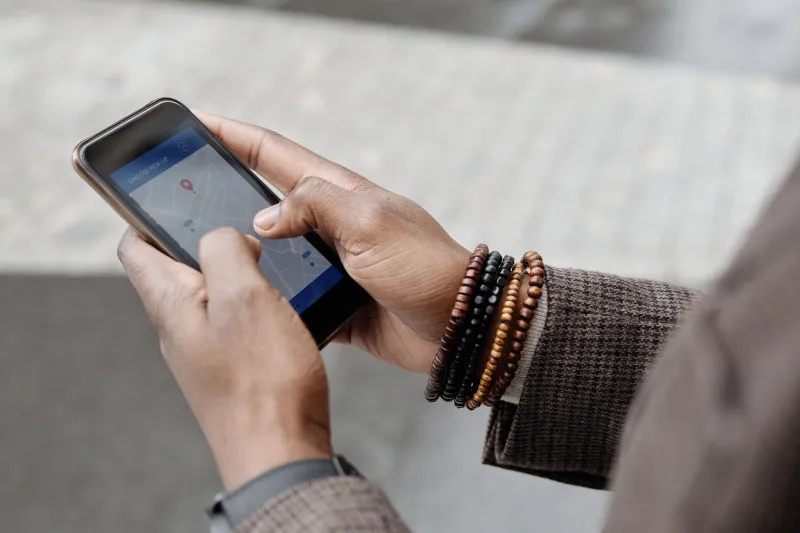
Photo by Photo by Vitaly Gariev on Unsplash on Unsplash
You did everything right. You connected to your VPN before logging into your bank, kept your credentials strong, and stayed off sketchy public WiFi. And then you got hit with a fraud alert, a locked account, or a mandatory identity verification step that took three days to sort out.
Welcome to one of the more frustrating contradictions in modern digital life: the tools designed to keep you safe can make you look suspicious to the very institutions you're trying to protect your money with.
Why Banks Flag VPN Traffic in the First Place
Financial institutions spend enormous resources on fraud detection. Their systems are constantly watching for behavioral anomalies — logins from unusual locations, access attempts at odd hours, device fingerprints that don't match previous sessions. The logic makes sense on paper. If your account is normally accessed from a Chicago suburb and suddenly someone's logging in from a server in Eastern Europe, that's worth a second look.
Here's the problem: that Eastern European IP address might be you, connected to a VPN server in Frankfurt while sitting on your couch in Naperville.
VPN traffic has a few telltale characteristics that fraud systems learn to recognize. Commercial VPN providers use shared IP addresses, meaning thousands of users route through the same handful of servers. Those IP addresses end up on databases that banks, payment processors, and fraud prevention platforms constantly reference. If an IP address has been associated with past fraud attempts — which shared VPN IPs often have, through no fault of your own — it gets flagged.
Beyond the IP reputation issue, there's also the geolocation mismatch problem. Banks cross-reference your IP address against your account's history, your billing address, and sometimes even your device's GPS data if you're using a mobile app. A VPN can create a gap between where you appear to be and where the bank expects you to be, and that gap triggers automated security responses.
Which Services Are the Most Aggressive?
Not every financial service treats VPN users the same way. Some barely notice. Others treat a VPN connection like a five-alarm fire.
Major retail banks — think Chase, Bank of America, Wells Fargo — generally have sophisticated enough systems to allow VPN traffic while still flagging only genuinely anomalous behavior. You might get an occasional verification prompt, but full lockouts are less common unless you're connecting through a server with a particularly bad IP reputation.
Credit card companies and payment processors tend to be more aggressive. PayPal has a long history of limiting or freezing accounts tied to VPN-associated IPs, particularly if the server location doesn't match your account's registered country. Stripe, which powers payment processing for thousands of online businesses, runs similar checks under the hood.
Online brokerages and investment platforms — Fidelity, Schwab, Robinhood — are increasingly strict, especially post-pandemic when account takeover fraud spiked. These platforms often use multiple layers of detection, including behavioral biometrics that notice if your mouse movements or typing cadence don't match your historical patterns.
Smaller regional banks and credit unions can actually be more problematic, not less. Their fraud detection systems are often third-party tools that apply blunt rules rather than nuanced analysis. A VPN IP from a known commercial provider might trigger an automatic block with no easy appeal path.
The Catch-22 Nobody Warned You About
Here's where it gets genuinely unfair. The same threat landscape that makes VPNs valuable — data breaches, credential stuffing attacks, man-in-the-middle exploits on public networks — is exactly the threat landscape that banks say they're protecting you from with their VPN detection.
But fraud detection systems aren't trying to protect your privacy. They're trying to protect their liability. When a fraud algorithm flags a VPN user, it's not making a judgment about whether that person is a criminal. It's reducing the statistical probability that a given transaction is fraudulent at scale. You're collateral damage in a numbers game.
The irony is real: if you're logging into your bank from a coffee shop without a VPN, you're more vulnerable to actual interception. But you'll probably sail through authentication because your IP address looks local and familiar. Log in with a VPN protecting that same connection, and you might spend your afternoon on hold with customer service.
Practical Ways to Navigate This Without Ditching Your VPN
The good news is you don't have to choose between financial access and privacy. You just need to be a little strategic about it.
Use server locations that make sense geographically. If your bank is in the US and your account is registered to a US address, connect through a US-based VPN server. Routing through a server in the Netherlands for no particular reason is what triggers location mismatch flags. Most reputable VPN providers give you city-level server selection — pick something in your actual region.
Build a consistent VPN usage pattern. Banks learn your behavior over time. If you always connect through the same VPN server or at least the same city, your account history starts to reflect that pattern as normal. Jumping between servers in different countries every session is what looks erratic.
Keep your banking app on mobile with trusted networks. Many banks have separate (and more lenient) risk models for their mobile apps compared to browser-based logins. If you're consistently hitting friction on desktop, try your bank's official app on your phone. Some users find that cellular data connections — even with a VPN — trigger fewer flags than home broadband through a VPN server.
Look for VPN providers with residential IP options. Some premium VPN services offer residential IP addresses rather than datacenter IPs. These are harder to flag because they look like regular consumer internet connections rather than commercial server infrastructure. They're not always available on free plans, but they're worth considering if banking friction is a recurring problem for you.
Set up trusted device recognition where possible. Most major banks let you designate a device as trusted after a verification step. Once your laptop or phone is recognized, you'll face fewer challenges even when your IP address looks unusual. Do this on a good connection first, then your VPN usage becomes much smoother.
Whitelist your banking apps in your VPN's split tunneling settings. Many VPN clients — including several free ones — offer split tunneling, which lets you route specific apps outside the VPN tunnel while everything else stays encrypted. You lose VPN protection for that one app, but you keep it everywhere else. It's a reasonable trade-off for routine banking tasks, especially if you're on a secured home network.
The Bigger Picture
The friction between VPN use and financial services isn't going away anytime soon. If anything, as fraud detection becomes more sophisticated, the gap between what's genuinely suspicious and what just looks suspicious is going to get more complicated.
What matters is understanding that this isn't your VPN failing you — it's an industry-wide tension between privacy tools and risk management systems that weren't designed with privacy in mind. Once you know how the detection logic works, you can work around it without sacrificing either your security or your account access.
Staying private online shouldn't mean getting locked out of your own money. With a little planning, it doesn't have to.